
With your own AI.
If you use Claude Code or Codex, it can do the setup with you: create the server, install Ballast and open your desk. It asks for codes and tokens in its own window, never in the chat.
How the Trade Desk works
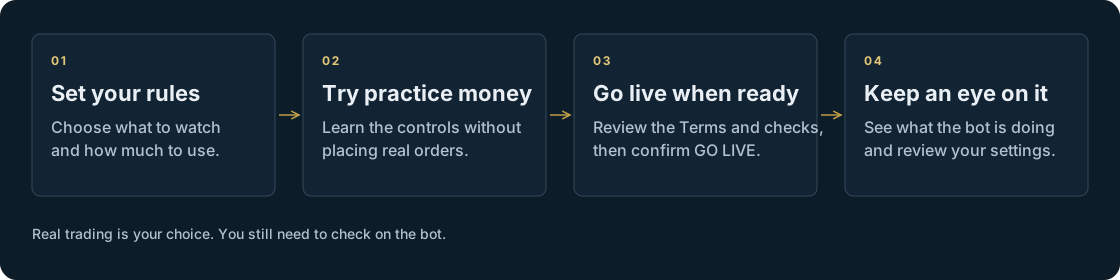
Choose your watchlist, set your trading rules and let your Trade Desk check for your conditions. Start with practice money; turn on real orders only when you choose.
1 / Getting started
Paper trading means practising with simulated money. It helps you learn the controls without placing real orders. Practice results don't predict real returns.

2 / Where it all happens
Your Trade Desk runs on a private server in your own DigitalOcean account. It connects to Robinhood to check your account and send orders. You don't deposit investment money with Ballast, and Ballast never holds your broker sign-in or your keys.

AI features can share relevant research or holdings information with the AI provider. Your saved records stay on your server, but the desk needs outside services to work. Read about your data.
3 / Staying in control
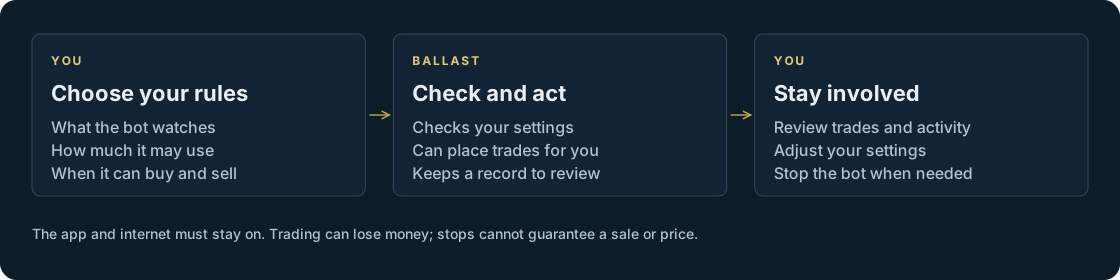
You set what the bot watches, how much it may use and when it can buy and sell. It keeps a record you can review. You can change the settings or stop automated trading.

Your server and its connections must stay up for the bot to act. Trading can lose money; a stop-loss cannot guarantee a sale or a price.
Setting up
Setup takes about 20 minutes. You do the invitation yourself on the setup page: your code, the beta statements and your username.
If you use Claude Code or Codex, it can do the setup with you: create the server, install Ballast and open your desk. It asks for codes and tokens in its own window, never in the chat.
No AI? A step-by-step wizard shows one step at a time. You create the server in your own DigitalOcean account and paste one command.
Add a passkey, save your recovery codes and follow the short tour. Your desk starts in PAPER.
Put your rules to work
The invited beta is free of Ballast charges. You'll need an invite code, a DigitalOcean account and the required broker and AI access; those services may charge separately.